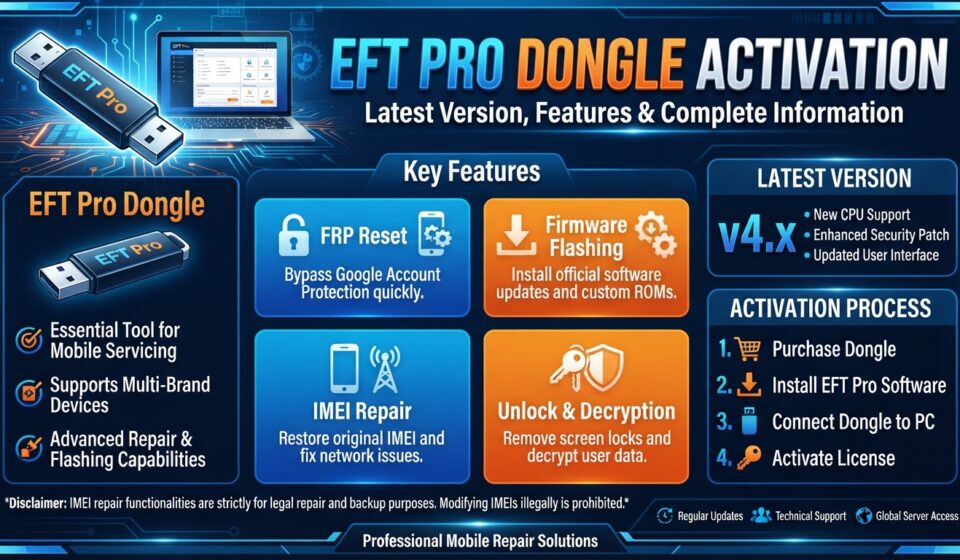

EFT Pro Dongle is a professional mobile servicing tool designed for mobile phone technicians, repair shops, and software professionals. It supports a wide range of mobile platforms and provides various servicing, flashing, diagnostic, and software-related functions.
If you are looking for information about EFT Pro Dongle activation, EFT Pro latest version, EFT Pro features, EFT Pro download, supported devices, and installation, this guide covers the essential information you need.
What Is EFT Pro Dongle?
EFT Pro Dongle is a multi-platform mobile servicing solution developed for technicians working with different smartphone brands and chipsets.
Depending on the supported software version and device model, EFT Pro can provide tools for platforms including:
- Qualcomm
- MediaTek (MTK)
- Spreadtrum / SPD
- Rockchip
- Allwinner
- Samsung
- Xiaomi
- Huawei / Honor
- Apple and other supported platforms
The available functions can vary according to the software version, device model, chipset, and current support status.
EFT Pro Dongle Activation
To use EFT Pro services, you generally need a genuine EFT Pro Dongle and valid activation/license where required.
How to Activate EFT Pro Dongle
Follow these general steps:
- Install the compatible EFT Pro software on your Windows computer.
- Connect your genuine EFT Pro Dongle.
- Make sure your computer has a stable internet connection when online activation is required.
- Open the EFT Pro application.
- Allow the software to detect your dongle.
- Follow the activation or update instructions provided by the official service.
- After successful activation, use the features supported by your device and software version.
Always use legitimate activation and software from an official or authorized source.
EFT Pro Latest Version
Using the latest compatible EFT Pro version can be important because software updates may introduce:
- New device support
- Updated chipset support
- Improved servicing functions
- Bug fixes
- Performance improvements
- Updated security or compatibility handling
Before servicing a particular smartphone, check whether your EFT Pro version supports that exact model and operation.
EFT Pro Dongle Features
EFT Pro offers a broad selection of mobile servicing functions. Depending on the supported device and platform, features may include:
- ADB operations
- Fastboot operations
- Boot and recovery functions
- Firmware-related operations
- APK management
- MediaTek servicing
- Qualcomm servicing
- Samsung-related servicing
- Xiaomi-related servicing
- Huawei/Honor servicing
- Other supported device operations
Because support changes with software releases, always verify the current official feature list before purchasing or activating the tool.
EFT Pro Supported Brands
EFT Pro is designed to work with multiple mobile brands and platforms. Support may include devices from brands such as:
Samsung
Samsung devices may be supported for selected software and servicing operations depending on the model and EFT Pro version.
Xiaomi, Redmi & POCO
EFT Pro provides various functions for supported Xiaomi-family devices, subject to model and software compatibility.
Huawei & Honor
Selected Huawei and Honor devices may be supported for specific servicing operations.
Qualcomm & MediaTek Devices
EFT Pro also provides platform-specific tools for supported Qualcomm and MediaTek devices.
Important: Device support is model- and version-dependent. A brand being listed does not necessarily mean every device from that brand is supported.
EFT Pro Software Download
Before downloading EFT Pro software, make sure you are obtaining the installer from a legitimate official or authorized source.
Using unofficial, modified, or cracked versions can create security, compatibility, and licensing problems.
For the latest information, check the official EFT Pro website:
EFT Pro Dongle Installation
After obtaining the appropriate official software:
- Download the compatible installer.
- Run the installation file.
- Follow the installation instructions.
- Connect your EFT Pro Dongle.
- Install any required drivers.
- Launch the EFT Pro application.
- Check your dongle and activation status.
- Select the required platform and supported device.
For best results, keep the software and required drivers updated.
EFT Pro Activation Problems – Common Solutions
If EFT Pro activation is not working, try the following troubleshooting steps:
Check Your Internet Connection
Some activation or online functions may require internet connectivity. Make sure your computer can access the internet normally.
Check Dongle Connection
Disconnect and reconnect the dongle and make sure Windows recognizes the connected hardware.
Update the Software
An outdated version may cause compatibility or activation problems. Check for an available official update.
Check Drivers
Incorrect or missing drivers can prevent the software from detecting the dongle or connected device.
Verify Your License
Make sure your EFT Pro activation/license is genuine and valid.
If the problem continues, contact the appropriate official or authorized support channel.
EFT Pro Dongle Price
The EFT Pro Dongle price can vary depending on the seller, package, activation period, region, and included services.
Before purchasing, compare the package details carefully and make sure you are buying from a trusted authorized source.
Is EFT Pro Dongle Worth It?
For professional mobile phone technicians who regularly work with different brands and chipsets, a multi-platform servicing tool can be useful because it brings various supported operations into one software environment.
However, the value depends on the devices you service and whether the current EFT Pro version supports the specific models and operations you need.
Frequently Asked Questions
What is EFT Pro Dongle?
EFT Pro Dongle is a professional mobile servicing solution that provides various software and servicing functions for supported smartphones and platforms.
How do I activate EFT Pro Dongle?
Connect your genuine dongle, install the compatible official software, and follow the applicable activation/license procedure.
Where can I download EFT Pro?
Use the official EFT Pro website or an authorized source to obtain legitimate software and updates.
Does EFT Pro support Samsung?
EFT Pro supports selected Samsung devices and operations, depending on the device model and current software version.
Does EFT Pro support MediaTek?
Yes, EFT Pro includes MediaTek-related servicing functions for supported devices.
Does EFT Pro support Qualcomm?
Yes, Qualcomm-related functions are available for supported devices and software versions.
Why is my EFT Pro Dongle not detected?
Possible causes include driver problems, USB connection issues, outdated software, or Windows compatibility issues. Check the drivers, reconnect the dongle, and use the latest compatible official software.
Can I use a cracked EFT Pro version?
Using cracked or modified software is not recommended. It can introduce security risks, instability, and licensing problems. Use genuine software and valid activation.